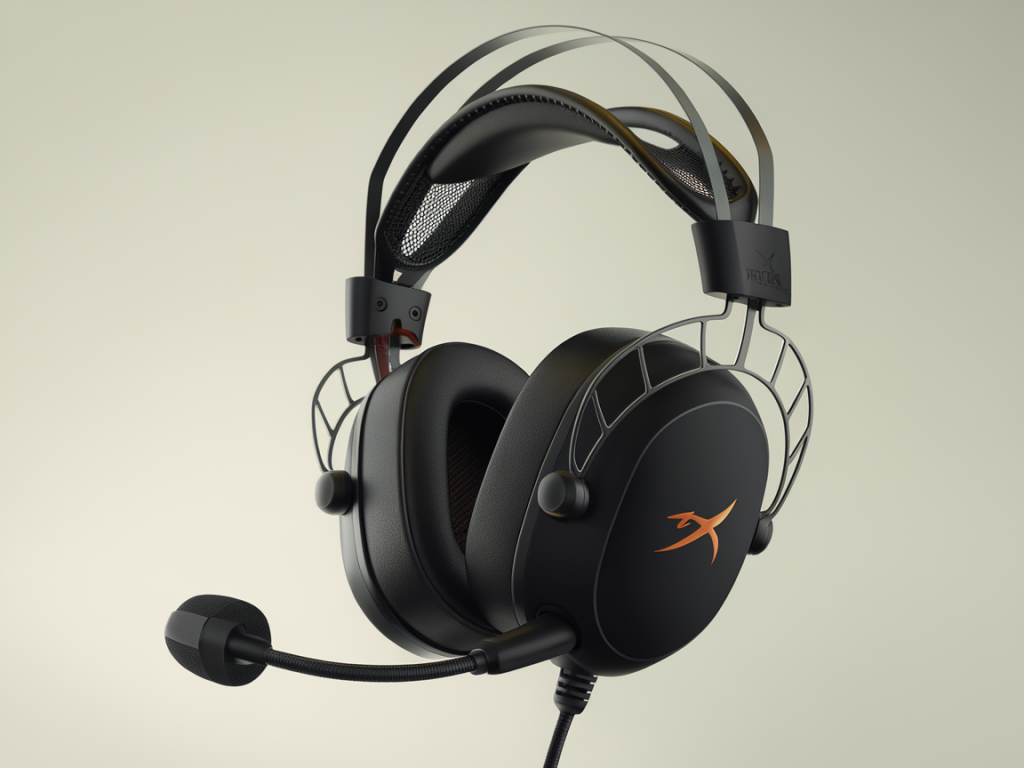
I’ve spent way too many hours swapping headsets between LANs, online scrims, and weekend tournaments to pretend budget gear all performs the same. If you’re shopping under $60, you’re balancing comfort, mic clarity, and whether the thing survives being stuffed into a bag and used for hours on end. Spoiler: some budget cans are solid contenders for tournament use; others are ticking time bombs. Here’s what I’ve learned the hard way, with practical picks and the one model I’d actively avoid.
What “survives tournament use” actually means
When I say a headset survives tournaments, I don’t just mean it sounds okay. I mean:
If a headset nails those four things, it’s tournament-worthy for me — regardless of price.
The budget pick that actually survives: HyperX Cloud Stinger (and Stinger Core)
I’ll be blunt: the HyperX Cloud Stinger (or Stinger Core, depending on regional pricing) is the one I keep recommending to folks who need a dependable, sub-$60 workhorse. I’ve used these in lan houses, at team houses, and during late-night ranked pushes. The reasons:
It’s also widely available and frequently discounted, which helps it stay under that $60 cap without feeling like a compromise. If you want a safe bet that covers comfort, durability, and usable sound, this is it.
Other solid contenders under $60
There are a few other models that deserve mention — not all are equal, but they’ll get the job done depending on what you prioritize.
The model to avoid — generic Amazon specials (e.g., “Mpow”, many unnamed RGB knockoffs)
I could point to a single brand, but the pattern is clearer: most ultra-cheap no-name headsets you find with flashing RGB, “7.1 surround,” and aggressive marketing will fail you in one of the tournament-critical areas. I’ve tested enough of these to know the usual breakdown:
Specifically, I’d avoid models from unfamiliar brands marketed primarily on low price plus flashy design (lots of fake reviews and stock photography). One example name that comes up often is “Mpow” in the super-cheap RGB category — they do sell decent audio accessories sometimes, but their budget headsets are inconsistent. If you can’t find solid user reviews from reputable sources or you see a ton of stock images and boilerplate text, skip it. The short-term “nice-looking for $25” win turns into long-term loss when the mic dies mid-match or the plastic breaks after a few trips.
What to prioritize when choosing
When you’re constrained by price, be deliberate about the tradeoffs. Here’s how I choose:
Quick comparison table — what I’d choose and why
| Model | Why it survives | Key downside |
|---|---|---|
| HyperX Cloud Stinger / Stinger Core | Solid build, comfortable, clear mic, good positional audio for the price | Plastic ear cup finish can scratch; not premium sound fidelity |
| Logitech G432 | Good soundstage, decent mic, durable | Heavier than some alternatives |
| Corsair HS35 | Lightweight, comfy, reliable wired connection | Sound isn’t the most detailed for competitive play |
| Turtle Beach Recon 70 | Very affordable, comfortable for long wear | Mic is basic; build is mostly plastic |
| Generic RGB/no-name | Cheap initial cost | Fragile, bad mic, unreliable — avoid for tournaments |
Practical tips to squeeze the most life out of a budget headset
Buy smart, not flashy. Under $60 you’re not getting studio-grade gear, but you can get an honest, reliable headset that survives travel, long sessions, and the odd clumsy teammate. I keep a HyperX Stinger in my travel bag for exactly that reason: it’s not glamorous, but it works — repeatedly. On the flip side, if a headset’s main selling point is blinking lights and “7.1” plastered across the box, it’s probably not the one you want taking the mic during a tournament.